CueCalc · Features
Everything CueCalc can do.
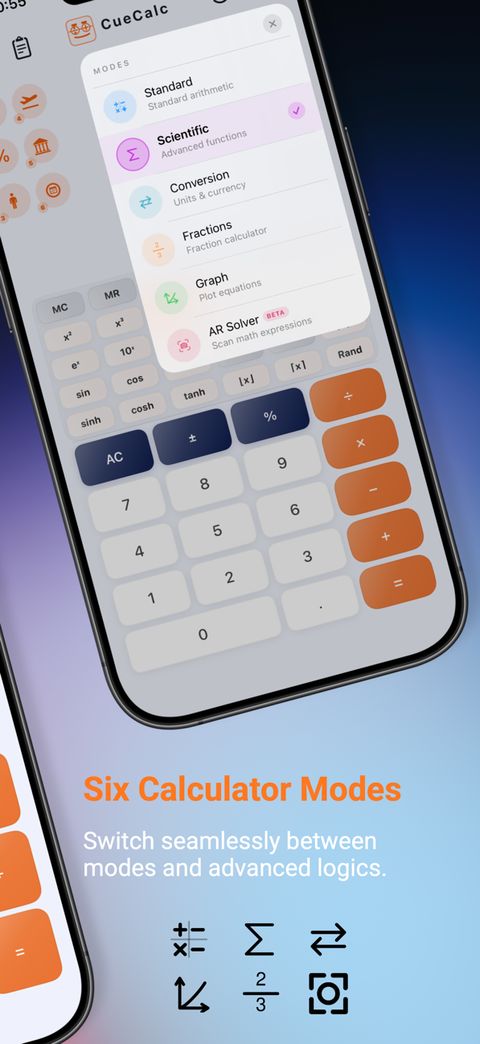
Standard, scientific, units and dates, fractions, programmer, and graph. Then the formulas you keep, history, widgets, and the keyboard. This is the same product record as cuecalc.app/features.
From the App Store frames
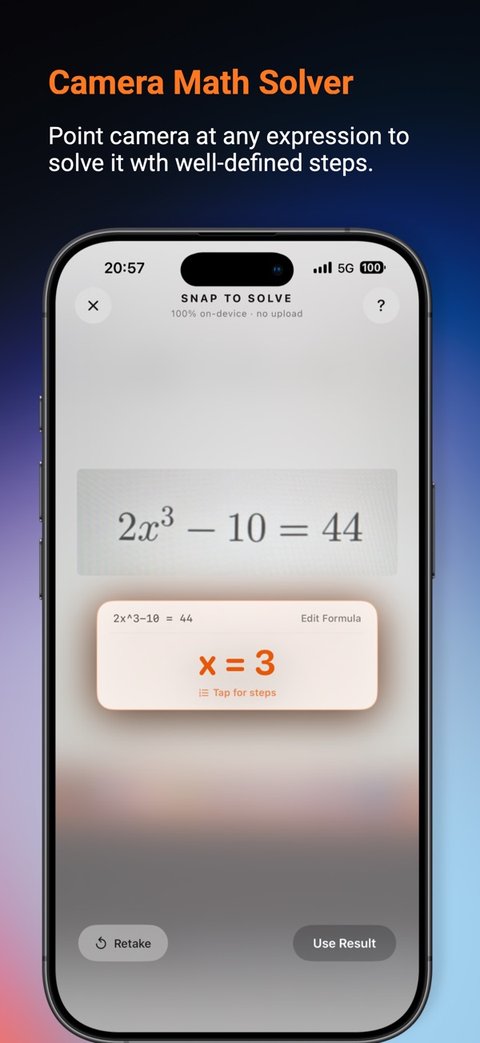
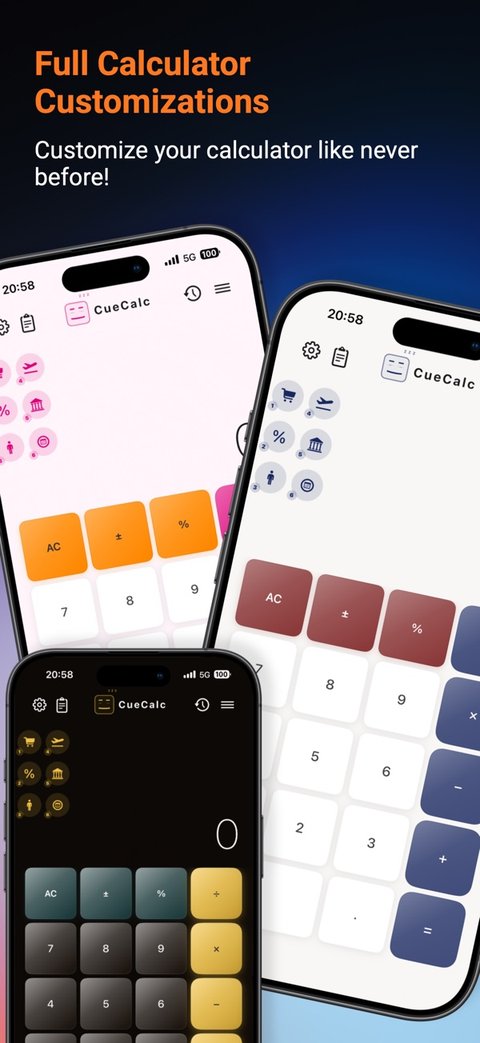
Standard
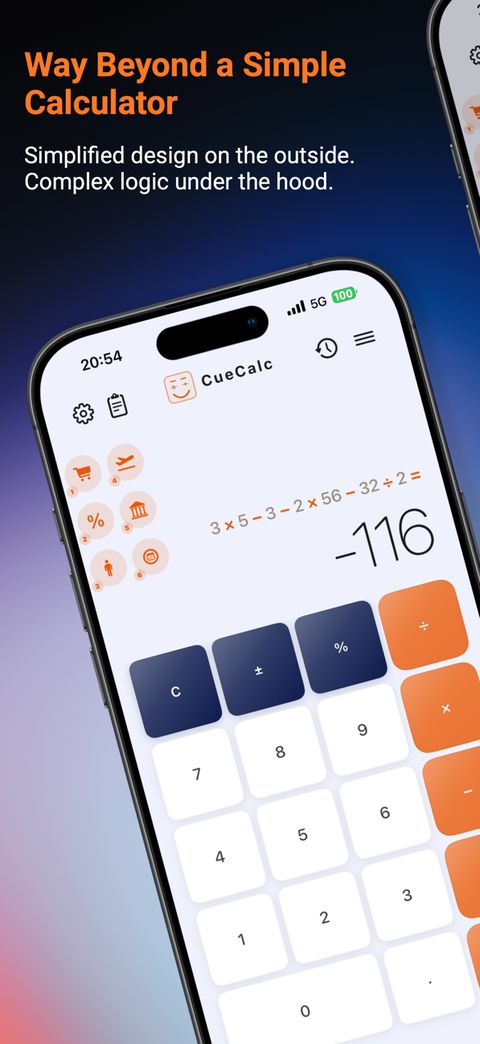
CueCalc uses decimal math, so a sum such as 0.1 + 0.2 does not pick up a binary tail, and a large product such as 1,000,000 × 1,000,000 does not overflow the way a floating-point calculator can.
The full expression stays visible above the result. You can chain operations without pressing AC. Percentages follow the familiar rule: 100 + 20% is 120, and 200 × 20% is 40. Backspace deletes the last character. A quick double-tap, or a hold, clears the expression. Long results stay on the display. Engineering notation beside the result is not a 1.1 control.
Scientific
Switch to scientific, or rotate the phone. Sine, cosine, tangent, and the hyperbolic forms are there. Second gives the inverses. Degrees and radians toggle. Powers and roots cover square, cube, any power, square root, cube root, and reciprocal. Logs cover natural log, log base 10, and log base 2, plus e to a power and 10 to a power. Pi and e insert into the expression. Memory is MC, MR, M+, and M−.
Units, dates, currency
Categories include length, area, volume, mass, temperature, speed, time, digital storage, energy, pressure, and cooking. Dates are on the same screen: the span between two days, a duration added to a day, or an age. Dates are free. Live currency and stocks are Pro, and they request a rate only when you use them. Tap a converted value to push it back into the calculation. Swap flips the two units. Converter decimal places are separate from the calculator’s decimal places.
Fractions
The numerator, then the fraction bar, then the denominator. The layout is a vertical fraction, not a slash. Simplify reduces the fraction. An improper fraction can show as a mixed number beside the decimal.
Graph, Pro
Type a function and see it. Add more than one. Long-press a chip to remove it. Pinch to zoom, drag to pan, double-tap to reset, and trace the curve. The graph has its own formula keyboard. Graph stays after the trial only with Pro.
Programmer
Hex, decimal, octal, and binary. The value stays put while the base changes. AND, OR, XOR, and shifts. Word width runs from 8-bit through 64-bit. Programmer is part of the free calculator. It is not a Pro feature.
Cues and Formula Studio
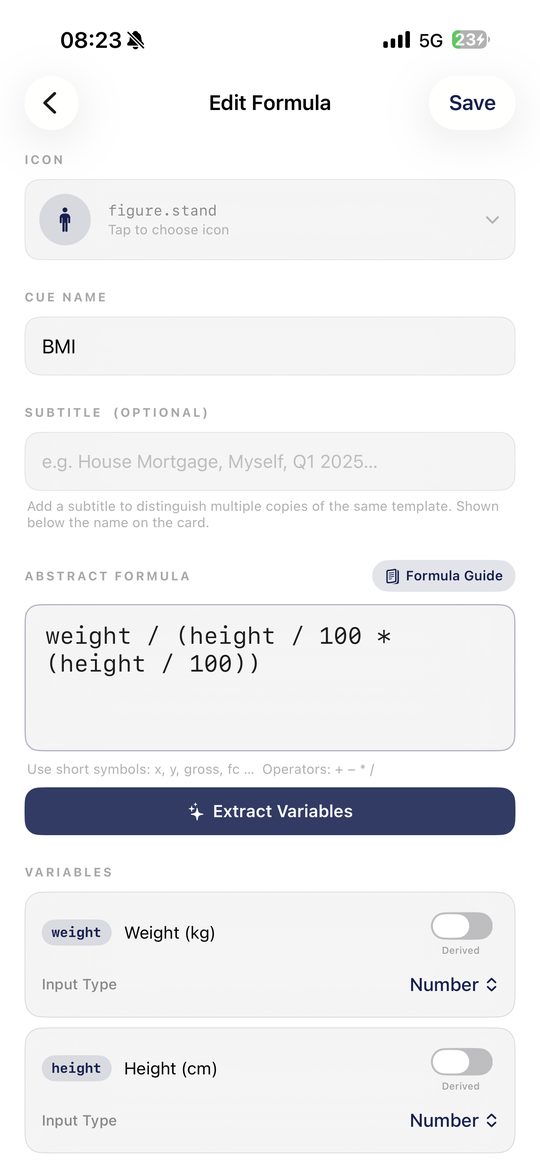
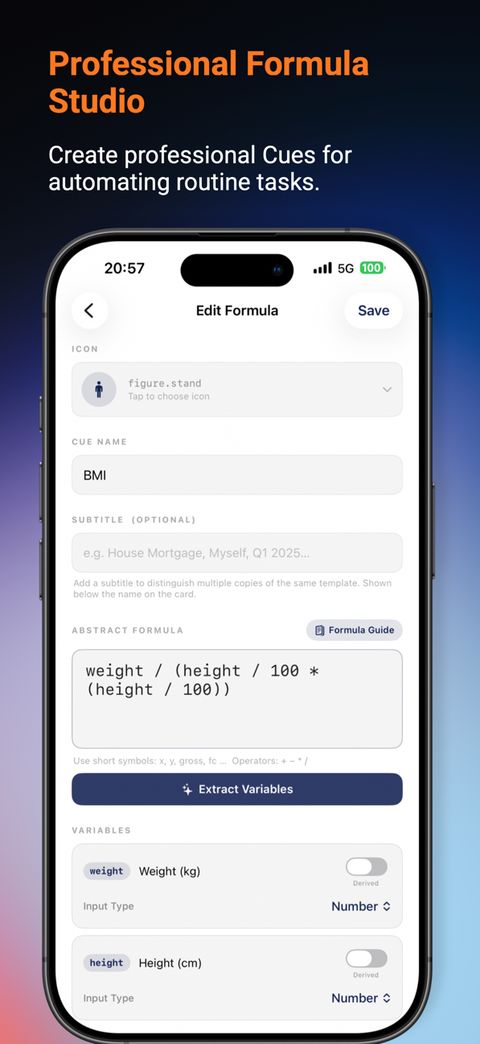
A Cue is a saved formula. Name the inputs, write the expression, and CueCalc asks for the numbers the next time. During the 7-day trial, and with Pro after it, you can run, create, import, and edit. Formulas you already saved stay in My Cues. Running them after the trial is part of Pro.
You pick a template or start from scratch, fill the variables, tap Run, and the result is logged. A derived variable is computed from the others and is not asked for. Results can be a number, currency, a percentage, or scientific notation, with decimal places, separators, a suffix, and a negative style. Interpretation bands add a label such as a BMI range. The last band can be left open.
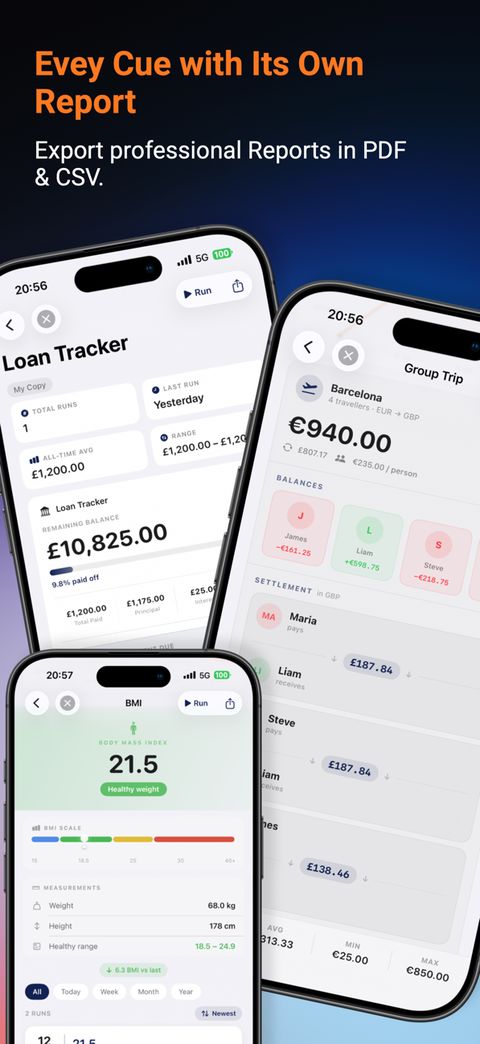
Spending Tracker logs a purchase and a category. Loan Tracker keeps a payment schedule from the amount, rate, and payment you enter once. Group Trip logs a shared expense and works out who pays whom. Each Cue has a run log with count, a trend, sum, average, minimum, maximum, and date filters. CSV and PDF export follow the filter you have on. A reminder can be daily, weekly, or monthly. Share a .cue file by AirDrop, Files, or Mail, with or without its history. Icons come from a symbol grid. Two copies of one template can have different subtitles, and each keeps its own log.
Building a Cue
| Step | What you do |
|---|---|
| Icon | Pick a symbol from Finance, Health, Business, Science and Math, Everyday, or Other. |
| Name | A name is required. A subtitle separates two copies, such as House and Car. |
| Formula | Type an expression with short names, such as revenue − costs − tax. The book icon opens the formula guide. |
| Extract | CueCalc builds the variable list from the symbols it finds. |
| Variables | Give each symbol a label and a type: number, currency, or percentage. Or mark it derived. |
| Text labels | Optional notes such as client or reference. They are saved and become CSV columns. |
| Result | Number, currency, percentage, or scientific, plus decimals, suffix, separators, and negative style. |
| Bands | Optional labels, each with an upper bound, checked from the top. |
| Behaviour | Save to the history log, and optionally open the report when a run stops. |
| Reminder | None, daily, weekly, or monthly. |
| Save | CueCalc checks the name, the formula, and the labels, and blocks a duplicate name plus subtitle. |
What a formula can say
| Category | Syntax |
|---|---|
| Operators | + − * / ^ and a percent shorthand. vat_rate% means vat_rate / 100. |
| Constants | pi and e. |
| Rounding | round, floor, ceil. |
| Min and max | min(a, b) and max(a, b). |
| Roots | sqrt and abs. |
| Logs | exp, log or ln, log10, log2. |
| Trigonometry | sin, cos, tan, asin, acos, atan, in radians. Degrees are multiplied by pi / 180 first. |
| Names | A letter, then letters, digits, or underscores. Multiplication is written a * b. |
Examples from the in-app guide: profit margin (revenue − costs) / revenue * 100. Break-even units fixed_costs / (price − variable_cost). Compound interest principal * (1 + rate%) ^ years. BMI weight / (height ^ 2). VAT on a price, and a price with or without VAT.
Fourteen shortcut slots sit under the standard result. Pin a formula, then tap the slot to run it. The strip is part of Pro, including during the trial. Empty slots are waiting. Filled ones run. Formulas you saved stay in My Cues after the trial. Running them again is Pro. The slots stay where you left them.
Built-in Cue library
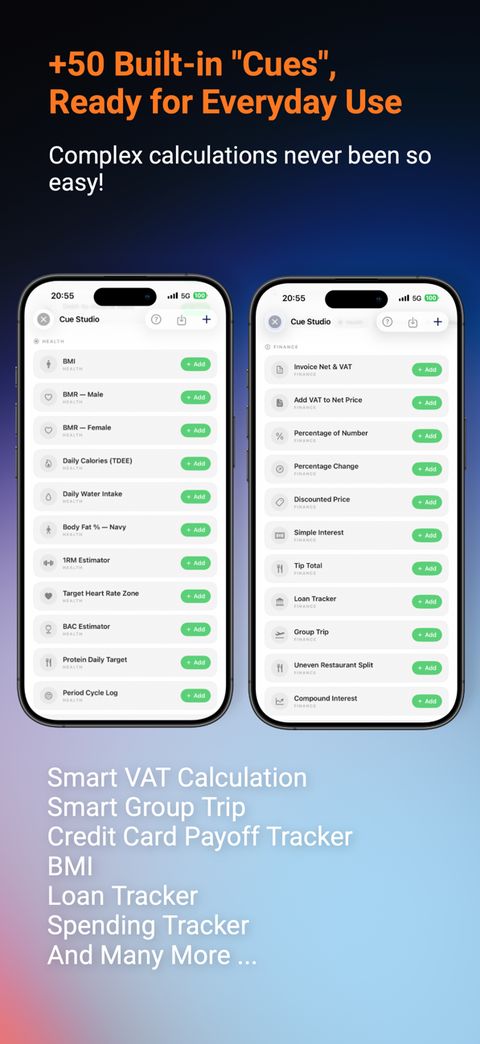
Forty-nine templates ship with the app, in Health, Finance, Business, Everyday, and Trading. Adding one gives you an editable copy and its own run history. The same list is published on cuecalc.app/features.
Health 10 Cues
| Cue | Formula | Bands | Use |
|---|---|---|---|
| BMI | weight / (height/100)² | Underweight · Healthy · Overweight · Obese | Track weight status against the WHO classification. |
| BMR — Male | 10w + 6.25h − 5a + 5 | — | Resting daily calorie burn (Mifflin-St Jeor) for men. |
| BMR — Female | 10w + 6.25h − 5a − 161 | — | Resting daily calorie burn (Mifflin-St Jeor) for women. |
| Daily Calories (TDEE) | bmr * activity | — | Convert BMR into total daily calories via an activity multiplier (1.2–1.9). |
| Daily Water Intake | weight * 0.033 | — | Quick daily hydration target in litres from body weight. |
| Body Fat % — Navy | 495 / (1.0324 − 0.19077·log₁₀(waist−neck) + 0.15456·log₁₀(height)) − 450 | Essential · Athletic/Fitness · Average · Obese | Body-fat % using the US Navy tape-measure method. |
| 1RM Estimator | weight * (1 + reps/30) | — | Estimate a one-rep max from a lighter set (best for 1–10 reps). |
| Target Heart Rate Zone | ((220−age−rest_hr) * intensity/100) + rest_hr | Warm-Up · Fat Burn/Aerobic · Anaerobic · Max Effort | Find your training heart-rate zone from age and resting HR. |
| BAC Estimator | (drinks*14/(weight·r)) − (0.015*hours) | Sober/Slight · Legal Limit · Impaired · Danger | Rough Widmark-formula BAC estimate — educational only. |
| Protein Daily Target | weight * multiplier | — | Daily protein target in grams for general fitness or muscle building. |
Finance 15 Cues
| Cue | Formula | Bands | Use |
|---|---|---|---|
| Invoice Net & VAT | gross − vat (vat derived) | — | Extract the net amount and VAT from a gross invoice total. |
| Add VAT to Net Price | net + vat (vat derived) | — | Add VAT onto a net price to get the gross charge. |
| Percentage of Number | number * pct / 100 | — | Quick "X% of Y" calculations. |
| Percentage Change | (new−old)/old * 100 | Sig. decrease · Decrease · Increase | Measure the % increase or decrease between two values. |
| Discounted Price | original*(100−discount)/100 | — | Sale price after a percentage discount. |
| Simple Interest | principal*rate*years/100 | — | Interest earned on a fixed principal over time. |
| Tip Total | bill + (bill*tip/100) | — | Bill total including tip. |
| Loan Tracker Tracker | payment | — | Log each loan payment; Run Log builds a live amortisation schedule (balance, interest split, % paid off). |
| Group Trip Tracker | amount + Payer/Beneficiary/Category text fields | — | Track shared trip expenses; report calculates balances and a settlement plan. |
| Uneven Restaurant Split | grand_total*(your_price/total_bill) | — | Pay your fair share of a bill when everyone ordered different amounts. |
| Compound Interest | principal*(1+rate/100/n)^(n*years) | — | Project investment growth with compounding. |
| Salary to Hourly | salary/(weeks*hours_per_week) | — | Convert an annual salary into an hourly rate. |
| FIRE Number | annual_expenses/(withdrawal_rate/100) | — | Target portfolio size for financial independence (classic 4% rule). |
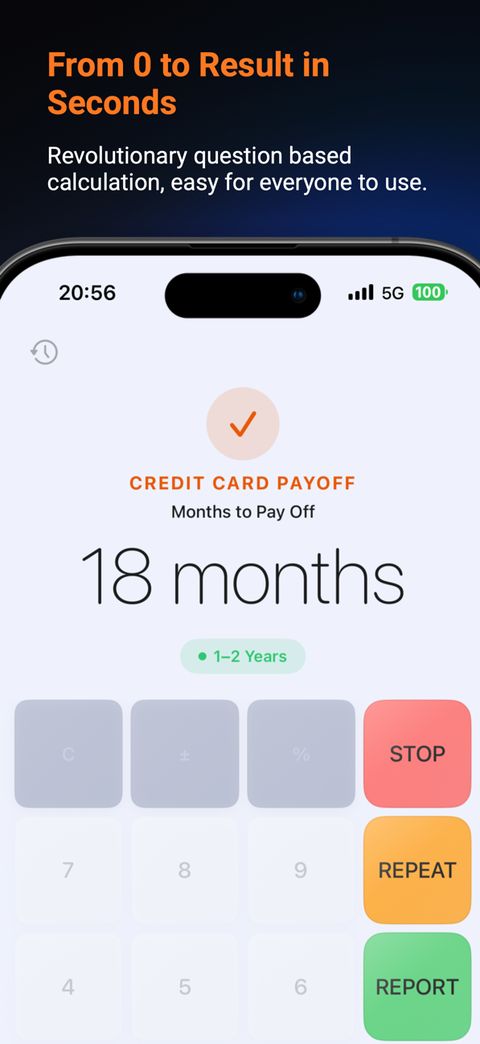
| Credit Card Payoff | −log(1−(monthly_rate*balance/payment))/log(1+monthly_rate) | < 1–2yr · 2–5yr · 5+yr | Months to clear a credit card balance at a fixed monthly payment. |
| Debt-to-Income Ratio | (monthly_debt/gross_income)*100 | Excellent/Good · Borderline · High Risk | Check your DTI against typical mortgage-qualifying thresholds. |
Business 9 Cues
| Cue | Formula | Bands | Use |
|---|---|---|---|
| CVP Breakeven Units | fixed_costs/(price−var_cost) | — | Units you need to sell to cover fixed costs. |
| Profit Margin % | (revenue−cost)/revenue*100 | Loss · Low · Average · Good/Excellent | Gross margin health check. |
| Markup % | (sell−cost)/cost*100 | — | Markup applied over cost price. |
| Return on Investment | (returns−investment)/investment*100 | Negative · Low · Moderate · Strong | ROI on any investment, campaign, or purchase. |
| Unit Price | total/quantity | — | Compare bulk pricing per unit. |
| Freelance Hourly Rate | (expenses+target_salary)/(weeks*billable_hours) | — | Minimum rate needed to hit your take-home goal as a freelancer. |
| Customer Acquisition Cost | marketing_spend/new_customers | — | Cost to acquire one paying customer. |
| Startup Runway | cash/monthly_burn | Critical · Danger Zone · Adequate · Healthy/Strong | Months of cash left at your current burn rate. |
| Inflation-Adjusted Return | ((1+nominal%)/(1+inflation%)−1)*100 | Negative · Low · Moderate/Strong | Real return on an investment after inflation. |
Everyday 10 Cues
| Cue | Formula | Bands | Use |
|---|---|---|---|
| Fuel Efficiency | fuel/distance*100 | — | Track your car's fuel consumption in L/100km. |
| Trip Fuel Cost | fuel_used * price (fuel_used derived) | — | Estimate fuel cost for a specific trip. |
| Currency Converter | amount * rate | — | Convert between currencies with a rate you enter. |
| Average Speed | distance/time | — | Average speed over a journey. |
| Tip Split | total_bill/people (total_bill derived) | — | Split a bill with tip evenly among a group. |
| Spending Tracker Tracker | amount + Category text field | — | Log purchases; Run Log builds a category breakdown and optional budget bar. |
| Recipe Scaler | original_amount*(new_servings/original_servings) | — | Scale ingredient quantities to a new serving count. |
| Appliance Energy Cost | (watts/1000)*hours*days*rate | — | Estimate the electricity cost of running an appliance. |
| EV Charging Time | battery*(target%−current%)/100/charger_kw | — | Estimate time to charge an EV to a target %. |
| Yearly Commute Cost | distance*2*days*fuel_cost_per_km + parking*days | — | Annual cost of driving to work, including parking. |
Trading 5 Cues
| Cue | Formula | Bands | Use |
|---|---|---|---|
| Trade Position Sizing | capital_at_risk/(entry−stop) (capital_at_risk derived) | — | Position size that keeps your risk to a set % of account balance. |
| Risk / Reward Ratio | reward/risk | Unfavorable · Acceptable · Good/Excellent | Evaluate a trade setup's reward vs. risk before entry. |
| CAGR | ((end/start)^(1/years)−1)*100 | Negative · Low/Moderate · Strong/Exceptional | Annualised growth rate of an investment. |
| Stock Average Down | (s1*p1 + s2*p2)/(s1+s2) | — | New average cost basis after buying more shares at a different price. |
| Sharpe Ratio | (portfolio_return−risk_free_rate)/std_deviation | Negative · Sub-optimal · Good/Very Good/Excellent | Risk-adjusted return quality of a portfolio. |
History, widgets, keyboard, settings
History
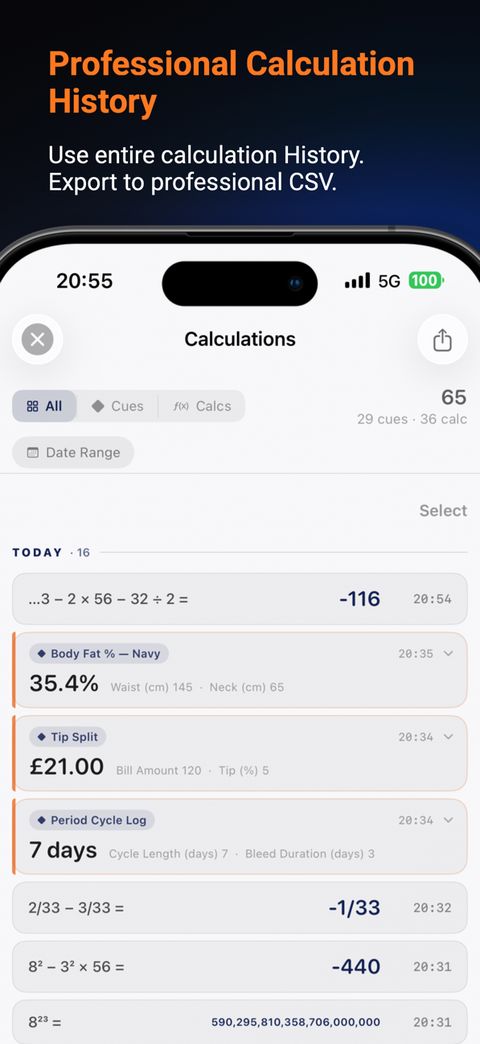
Never lose a calculation. Every completed run is recorded in the run log and history.
Tap to reuse
Tap a finished calculation to use its result again.
Continue a calculation
If an operator is waiting, tap a number in History and CueCalc uses that number next.
Remove entries
Swipe or long-press to remove a single item, or select multiple to remove entries from history and reports at once.
History is the column beside the calculator. Mode is the button in the top bar, the same control as on iPhone.
Home Screen & Lock Screen Widgets
A recent result can stay on the Home Screen. A currency conversion, and opening a pinned formula from a widget, are part of Pro.
Last Calculation
Automatically shows your most recent results — no setup needed. Small shows a hero result, Medium the last 3 entries, Large the last 5 with timestamps, and Lock Screen a compact two-line view. Updates instantly after every calculation.
Cue Tracker PRO
A configurable widget — long-press it and choose any Cue from your library. Spending Tracker shows today's total; Loan Tracker shows the last payment and running totals. Tap the widget to jump straight to that Cue's Run Log.
Currency PRO
A currency conversion on the Home Screen. Live rates are fetched when you use currency. The amount you convert is not sent.
How to add a widgetTouch and hold any empty space on your Home Screen until icons jiggle, tap the + button, search "CueCalc," pick a widget and size, then tap Add Widget. For the Cue Tracker, touch and hold the placed widget and choose Edit Widget to pick which Cue it shows.
CueCalc Keyboard PRO
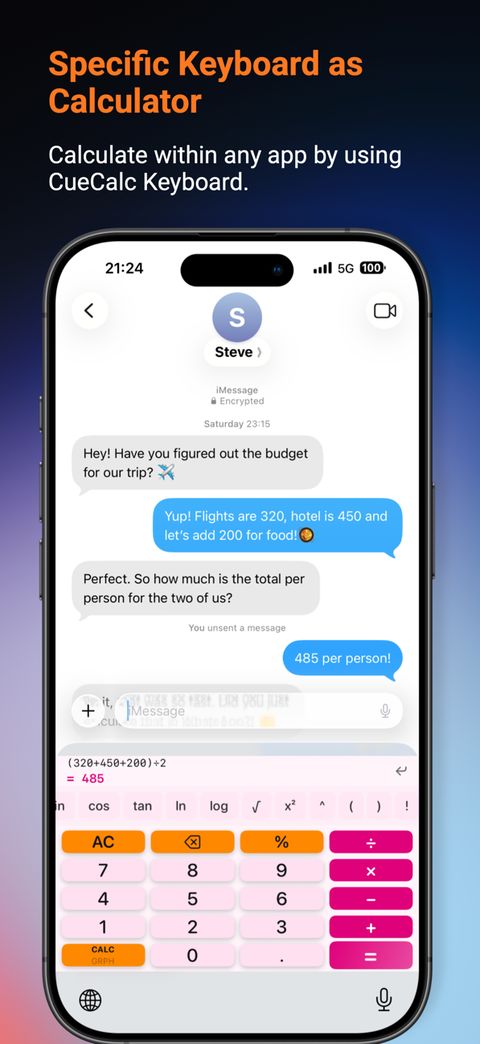
A full calculator that appears inside any app. Compute on the fly, then insert the result directly where you're typing — in Safari, Notes, Messages, or anywhere else.
Scientific row
A scrollable chip row gives you trig, logarithms, powers, square root, parentheses, constants, and the variable x — without leaving the keyboard.
The same pad
The keyboard is the calculator pad inside another app. It does not plot a graph. Graph stays in CueCalc.
Insert result instantly
Tap the ↲ button to drop the current result or expression directly into the active text field — no copy-paste needed.
Full Access
You can calculate and insert a result without Full Access. Haptics need Full Access. When they cannot run, CueCalc plays a sound instead.
Theme & haptic sync
The keyboard automatically matches your CueCalc theme and respects your Haptic Feedback setting — no separate configuration.
Smart clear & backspace
AC and ⌫ clear the expression pad first, then fall through to clearing or backspacing the host app's text field — just like the system keyboard.
Enable it onceGo to iOS Settings > General > Keyboard > Keyboards > Add New Keyboard > CueCalc Keyboard. Then tap the globe (🌐) key in any app to switch to it.
Settings
Every setting in the app, organised exactly as it appears on the Settings screen.
Theme
Forty themes. Six are included: CueCalc, Clinical, Polar, Noir, Ivory, and Carbon. The other thirty-four come with Pro.
Button shape
Rounded (default) or Square — a two-option toggle that reshapes every key on the keypad instantly.
Ignore system dark mode
Dual-scheme themes normally follow iOS light/dark automatically. Turn this on to keep CueCalc's appearance fixed regardless of your system setting.
App font PRO
23 font choices across 4 groups — Apple (Default/System, Rounded, New York, SF Mono), Sans Serif (Avenir Next, Avenir, Helvetica Neue, Futura, Optima, Gill Sans, Trebuchet MS, Verdana, Arial), Serif (Georgia, Charter, Palatino, Baskerville, Didot, Hoefler Text, Times New Roman), and Slab & Mono (Rockwell, American Typewriter, Menlo, Courier New). Applies everywhere in the app, not just the display. Requires Pro after the trial.
Text size PRO
Compact, Default, Large, or Extra Large — an app-wide scale independent of your iOS system text size setting, so CueCalc's readability is always in your control. Requires Pro after the trial.
Haptic feedback
Tactile Taptic Engine response on every button press. On by default — turn off for a silent, vibration-free feel.
Button sounds
Audible click on every press, on by default. Turn off and the Sound Theme picker below dims, since there's nothing left to configure.
Sound theme
11 click sounds to choose from: Classic, Soft Keys, Deep Tone, Crystal, Retro, Typewriter, Piano, Marimba, Vinyl, Sci-Fi, and Boing.
Operator animation
Shows a ghost symbol in the display and highlights the active operator button whenever you tap +, −, ×, or ÷. On by default.
Decimal places
0–10 places for the main calculator display (0 = Auto, 3 places by default).
Converter decimal places
An independent 0–8 setting just for the Unit Converter, defaulting to 2 places.
Default currency PRO
Choose from a searchable list of roughly 100 world currencies (plus BTC and ETH) for any Cue using currency output format. Requires Pro after the trial.
VAT / GST country PRO
Pick your country from a searchable worldwide list showing its flag and rate (e.g. "Germany · 19%") — CueCalc pre-fills that rate automatically in every VAT Cue. Requires Pro after the trial.
Quick Access Bar PROFourteen shortcut slots sit under the result on the standard keypad. Pin a saved formula, then tap the slot to run it. All fourteen are part of CueCalc Pro. In Settings, Save Only Cues, text size, the default currency, and the VAT country are part of Pro as well.
Disable Auto-Lock
Keeps your screen on while CueCalc is open — handy for long calculation or Cue-logging sessions.
Reduce Animations
Disables the number morph animation on the display. Recommended for older devices.
Auto Low Power Mode
Automatically disables animations whenever iOS Low Power Mode is active. On by default.
CueCalc Tutorial
A full in-app guide to every feature and screen — the same content this Features page and the Tutorials page cover, available offline inside the app itself.
Report a Bug
Opens a dedicated bug report screen that sends your description plus basic diagnostics (app version, iOS version, device model) straight to the development team.
Accessibility
CueCalc is designed to work with the accessibility tools you already use on iPhone and iPad — larger text, reduced motion, VoiceOver, and more — without compromise.
Larger text
App-wide text size (Compact → Extra Large) scales buttons, labels, and results independently of system settings, so readability stays under your control. Requires Pro after the trial.
VoiceOver ready
Calculator keys, modes, Cues, and results are labelled for VoiceOver so you can navigate and calculate with spoken feedback using standard iOS gestures.
Reduce Animations
Turn off number-morph animations in Settings, or rely on Auto Low Power Mode — CueCalc also respects iOS Reduce Motion where the system disables decorative motion.
Haptics & sound
Haptic feedback and button sounds are on by default and fully optional. Silence clicks, keep tactile feedback, or turn both off for a completely quiet experience.
High-contrast themes
36 themes including high-contrast light and dark options. Dual-scheme themes follow system appearance, or lock them with Ignore System Dark Mode.
Large targets
Calculator keys and primary actions use generous hit targets suited to one-handed use on iPhone and two-handed use on iPad — no tiny controls buried in dense layouts.
Need something that isn’t covered? Email support@cuecalc.app with your device, iOS version, and accessibility setup. We treat accessibility requests as product priorities.