02 · iPhone · In development
One remote for the television in the room.
Remotal is an iPhone remote for the sets people actually own. It is not on the App Store yet, so this page is the product record while it is finished. There is no public price until the listing exists. The price then is the one Apple shows in the app.
- Status
- Not on the store
- Device
- iPhone
- Full remotes
- Eight systems
- Account
- None
The screens
What is on the remote
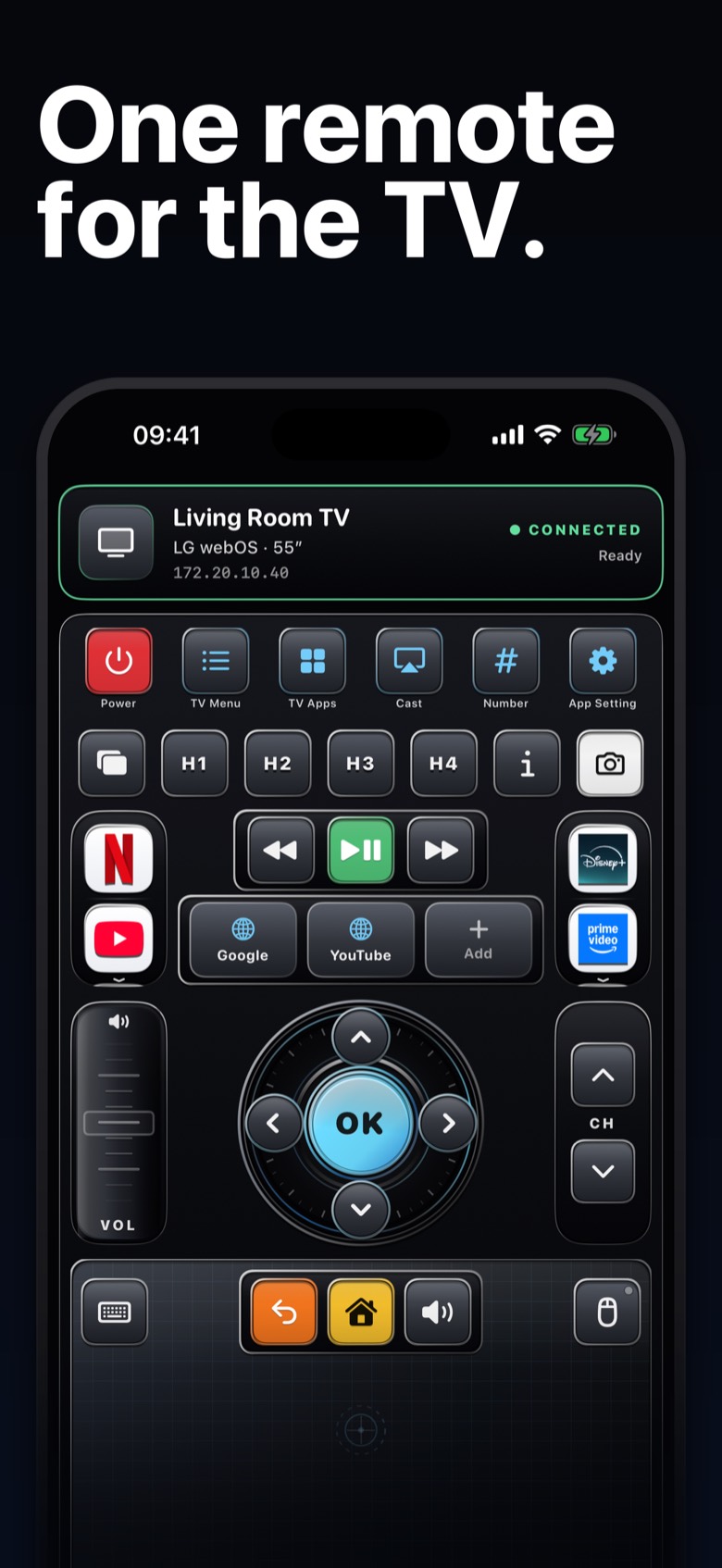
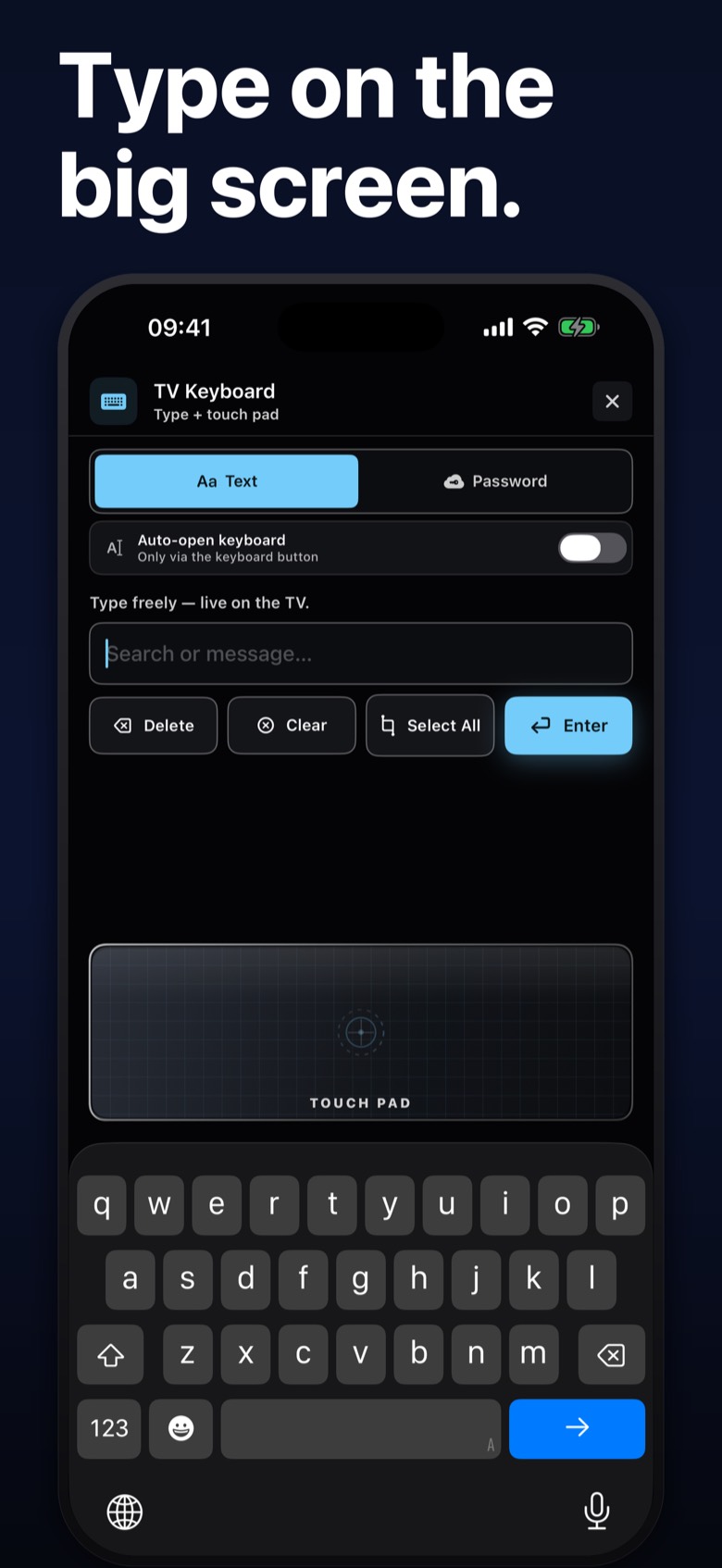
The face is one remote. It does not become a different app for each brand. The prepared screen carries power, the television menu, television apps, cast, a number pad, and app settings. Play, pause, and skip. Volume and channel. A directional pad with OK. Back, home, and mute. A keyboard button. An air-mouse button where that set has a pointer.
Where the set has direct HDMI keys, the remote shows H1, H2, H3, and H4 for HDMI 1 through 4. That row is on LG, Samsung, Roku, and Sony. Android TV, Fire TV, Philips, and Hisense do not pretend to have those four keys. They show Inputs instead.
An info key is on the remote. A camera key takes a picture of what is on the television, and that picture is an LG feature. On the other full remotes the camera key is not an active control.
What each system can do
A full remote means power, volume, mute, the pad, playback, text, and app launch. The pad is a continuous pointer on LG and Samsung. Everywhere else in this list it steps one tile at a time.
| LG webOS | Samsung | Roku | Android TV | Fire TV | Sony Bravia | Philips | Hisense | |
|---|---|---|---|---|---|---|---|---|
| Full remote | Yes | Yes | Yes | Yes | Yes | Yes | Yes | Yes |
| Air mouse | Yes | Yes | — | — | — | — | — | — |
| Pad | Pointer | Pointer | One tile | One tile | One tile | One tile | One tile | One tile |
| Keyboard | Opens on a text field | Button | Button | Button | Button | Button | Button | Button |
| Picture of the TV | Yes | — | — | — | — | — | — | — |
| HDMI 1–4 keys | Yes | Yes | Yes | Inputs | Inputs | Yes | Inputs | Inputs |
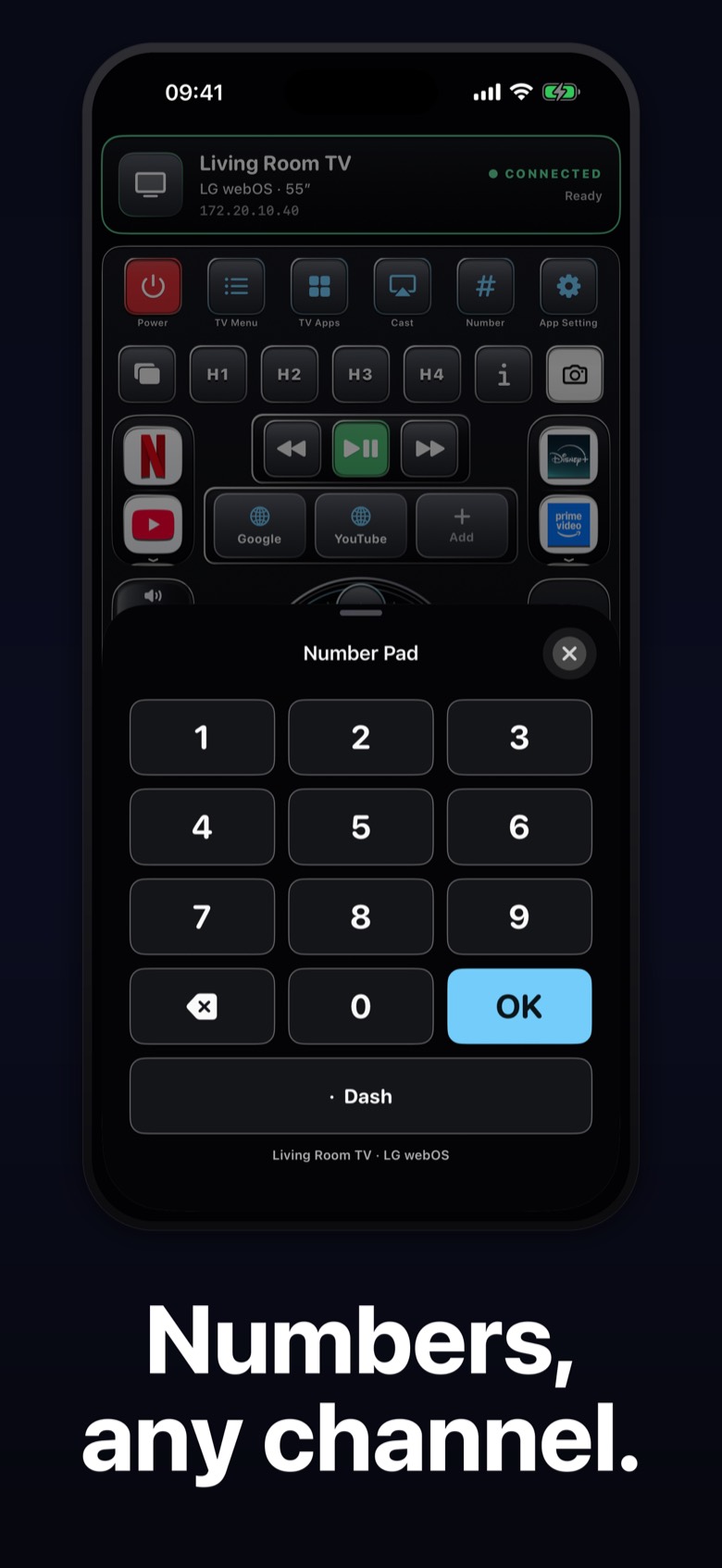
| Number pad | Yes, with a dash | Yes, with a dash | When a number field is open | Yes | Yes | Yes, with a dash | Yes, with a dash | Yes |
A newer Sony that connects through Android TV uses the Android TV pad, not a separate pointer. The dash on LG, Samsung, Sony, and Philips is the subchannel key, the one people use for a channel such as 2.1.
How a session works
- The phone and the television are on the same Wi-Fi. Remotal needs Local Network permission. The empty Devices screen says so, and it asks you to wake the television.
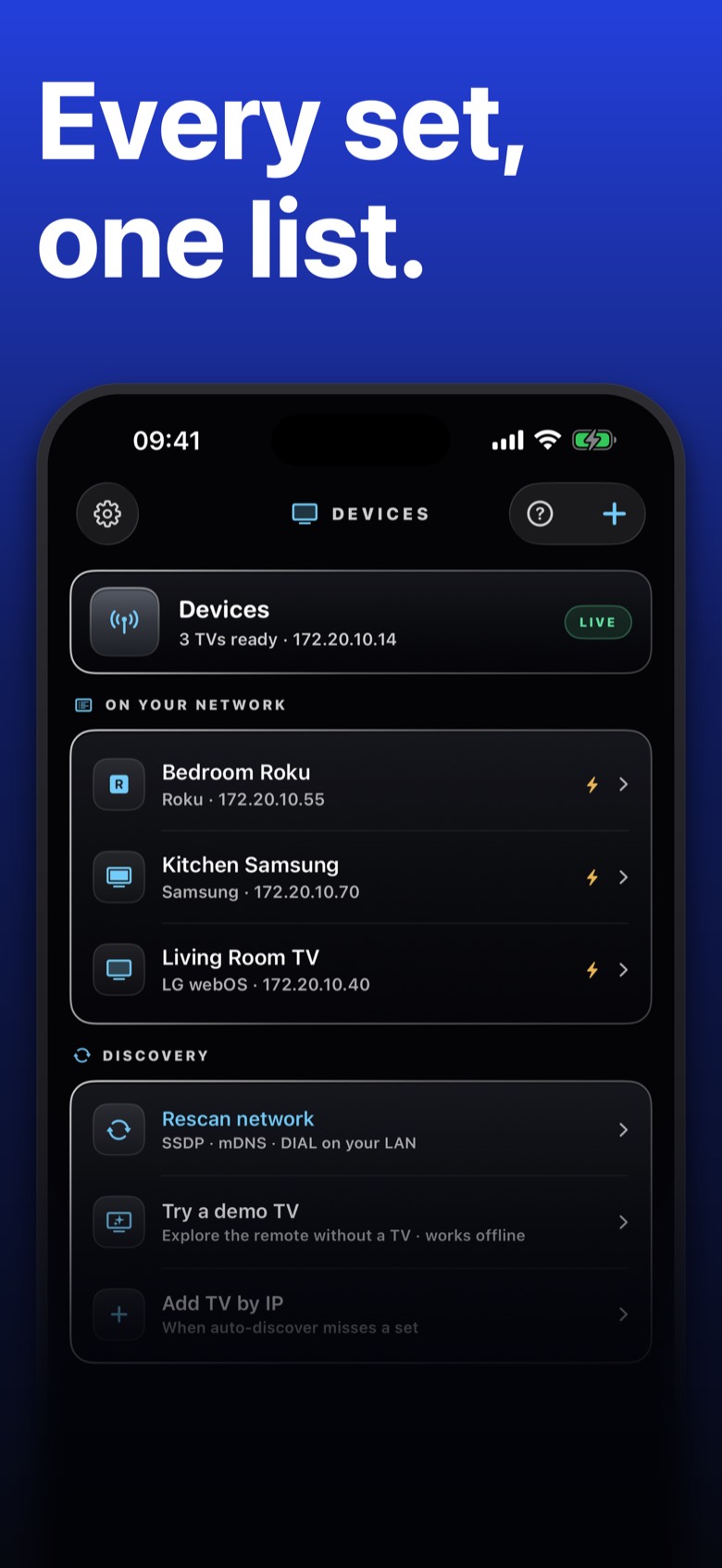
- The list fills with the sets it finds. You can rescan. If a set is missing, Add by IP takes an address. The empty screen does not print a network diagnostic.
- You confirm the phone on the television. If an LG set shows a PIN, that PIN is not typed inside Remotal yet. The prompt is still on the television.
- Navigation, playback, text, and the pointer, where the set allows it, go from the phone to that television. The command stays on the local network. There is no Remotal account.
Eight full remotes
These eight are the full remotes. A brand that is not in the table above is not described here as a full remote.
LG webOS
Full remote, air mouse, HDMI 1–4, and a number pad with a dash. The keyboard can open when a text field is focused. A picture of the television is LG only. Pairing can ask you to accept on the set. A PIN shown by the set is not entered in the app yet.
Samsung
Full remote and air mouse. HDMI 1–4. Number pad with a dash. The keyboard is the button you open. A picture of the television is not a Samsung feature.
Roku
Full remote with the one-tile pad. HDMI 1–4. No air mouse. Digits apply when a number field is open. Keyboard from the keyboard button.
Android TV
Full remote with the one-tile pad. Inputs, not four HDMI keys. No air mouse. Keyboard from the keyboard button. Newer Google TV Bravia sets often use this path.
Fire TV
Full remote with the one-tile pad. Inputs, not four HDMI keys. No air mouse. Keyboard from the keyboard button.
Sony Bravia
Full remote. HDMI 1–4 and a number pad with a dash when the set uses the Bravia path. No air mouse. A set that connects as Android TV uses that pad instead.
Philips
Full remote with the one-tile pad. Inputs, not four HDMI keys. Number pad with a dash. No air mouse. Keyboard from the keyboard button.
Hisense
Full remote for VIDAA, with the one-tile pad. Inputs, not four HDMI keys. No air mouse. Keyboard from the keyboard button.
Air mouse
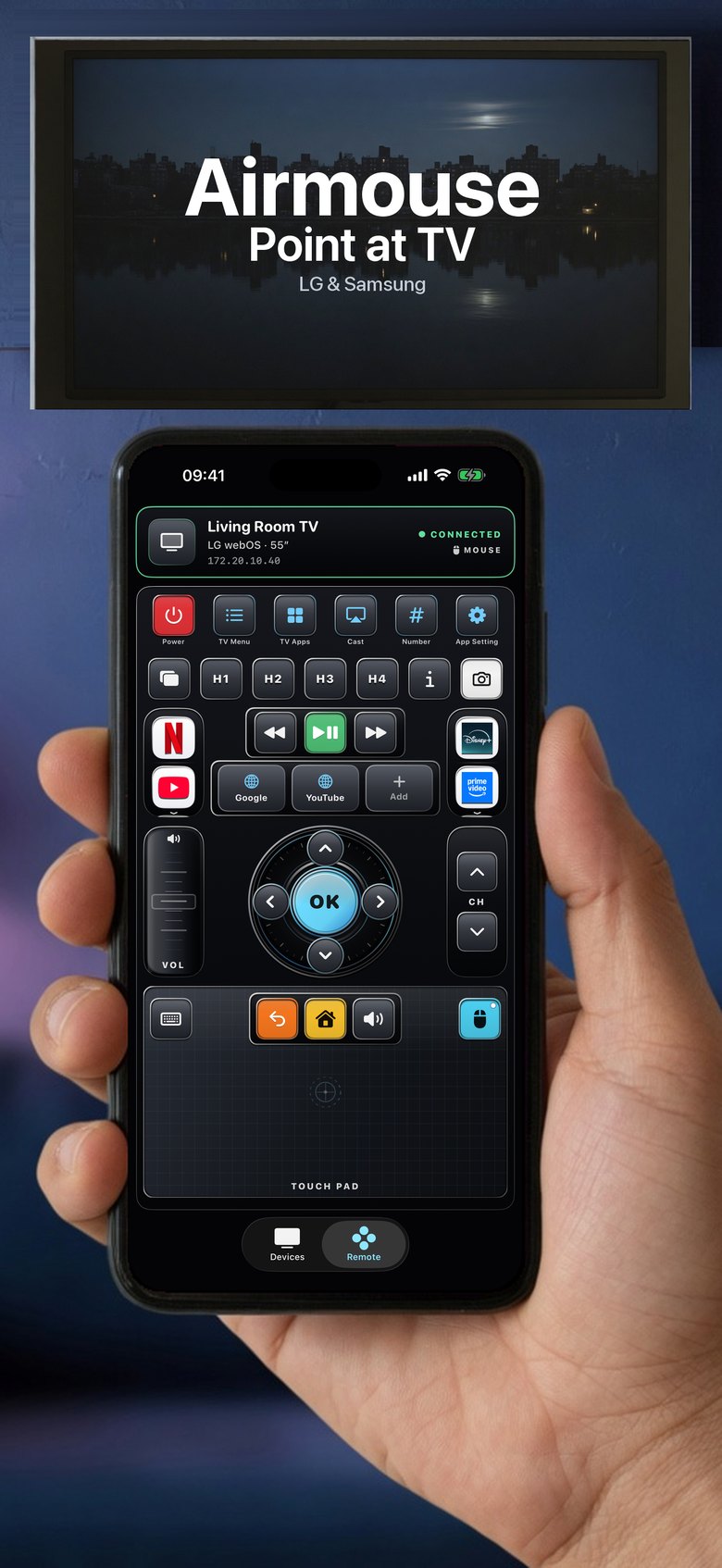
A pointer you aim at the screen exists on LG and Samsung. You hold the phone and move it. On the other full remotes the air-mouse control is not shown. A blank slot of the same size keeps Back, Home, and Mute centered, and you move with the pad.
Sensitivity for the pointer lives in App Setting. While you are using the volume control, the pointer stays out of the way.
Keyboard and a picture of the TV
Every full remote has a keyboard button. The keyboard that opens by itself, when the television is asking for text, is LG. The others wait until you open it.
A screenshot of the television is LG only. Saving that picture uses the Photos permission. The other brands do not offer that capture.
Apps, numbers, cast
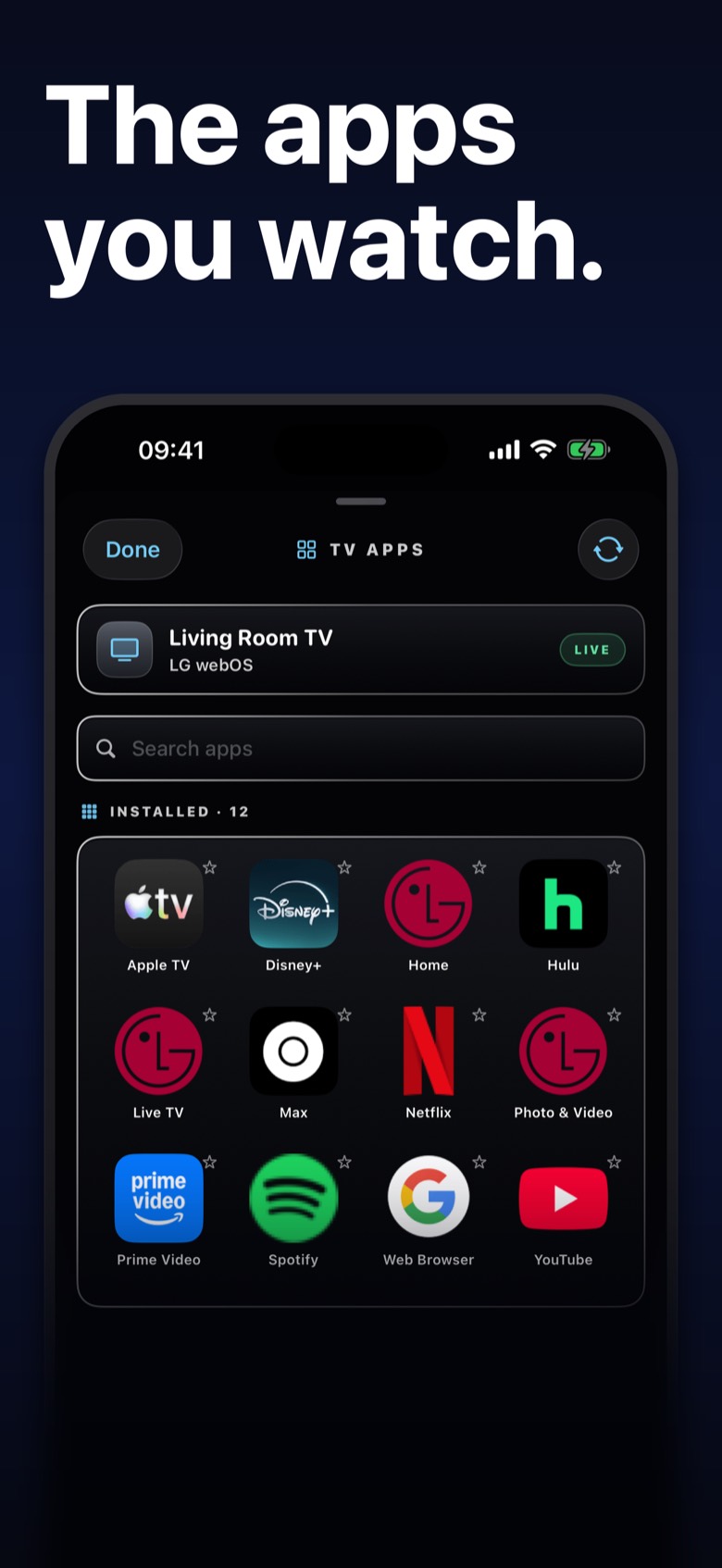
The remote can open Netflix, YouTube, Disney+, Prime Video, and Google, plus more you scroll to: Spotify, Hulu, Max, Paramount+, Peacock, Tubi, Plex, a browser, and the Apple TV app on that television. They are buttons in Remotal. They are not a partnership with those services. The Apple TV button opens that app on the set you are already controlling. It does not control an Apple TV box.
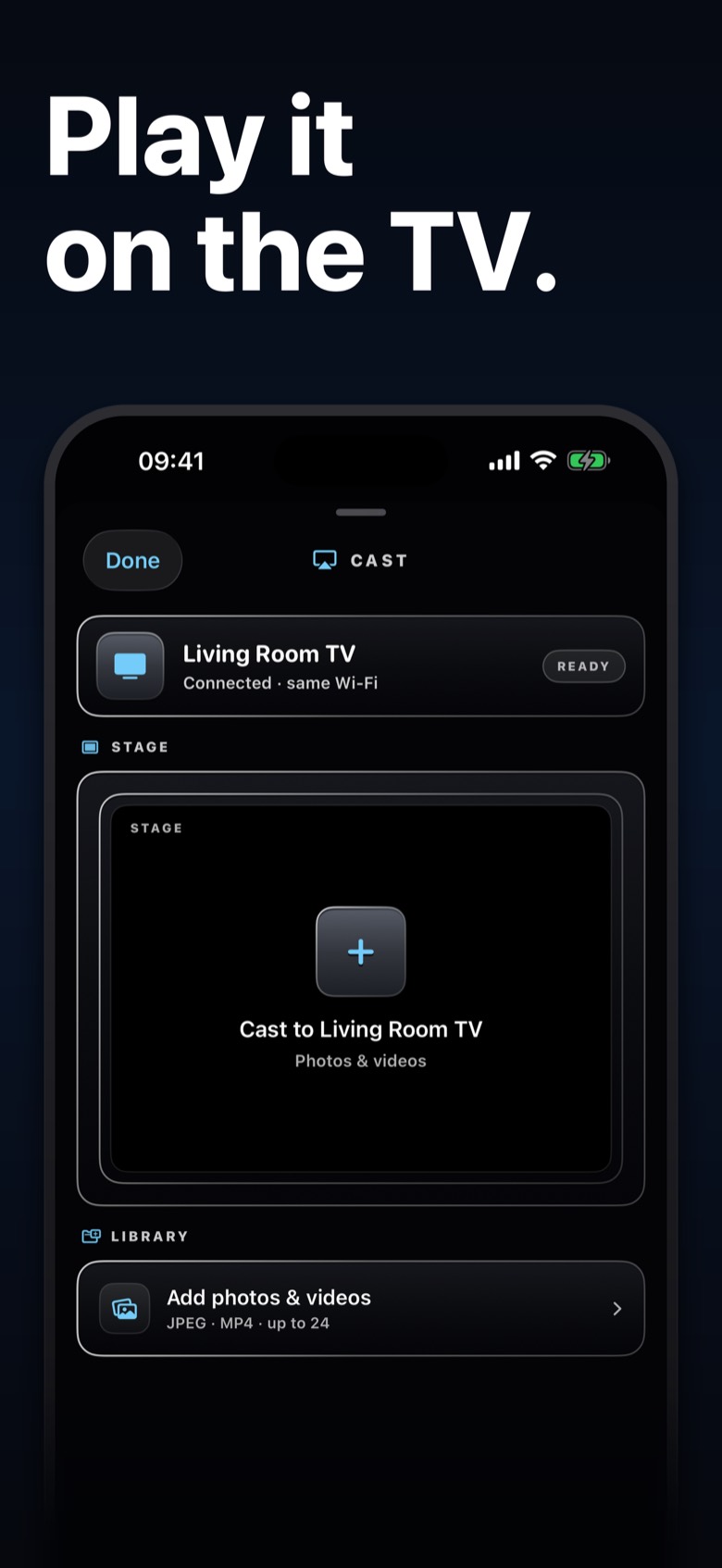
The number pad is for channels and for fields that want digits. Cast is a sheet for playback on the set, where that set supports it. You can also cast a photo or a video from Photos. A Google Cast device found on the network is cast only. It is not one of the eight remotes.
On the iPhone
Devices and the remote are the two main places. Sheets cover apps, cast, settings, the keyboard, and a short introduction. Remotal is an iPhone app. It is not laid out for iPad.
If the list is empty, the checklist is on screen: same Wi-Fi, Local Network permission, the television awake, then Rescan or Add by IP. There is also a button that opens iOS Settings. The screen does not print the phone’s address or a scanner log.
Shortcuts
Siri Shortcuts can change volume, mute, turn the set on or off, go home, go back, open the menu, move the pad, and control playback, on the last paired television. That uses the Siri permission when you run one.
What it is not
- Apple TV can be discovered. It is not a full remote in this version.
- Google Cast can be discovered. It is cast only.
- Vizio, Panasonic, and infrared-only sets are not in the eight full remotes on this page.
- Remotal is not on the App Store. There is no public price, no public trial, and no public review. When a listing exists, the price is the one Apple shows in the app.
- Android is a plan for the studio. It is not this app.
Privacy and availability
Commands go to the television on your network. Names and addresses of saved sets stay on the phone. Local Network is required to find a set. Photos is used when you cast a photo or video, or save an LG screenshot. The policy is on this site. It will be updated if a bug report or an Apple purchase is in the version that ships.