
 Duolane for iPhone and Windows
Your iPhone and PC,
one lane.
Send files and photos both ways, copy on one and paste on the other, over your own Wi-Fi or Personal Hotspot. No account. No cloud. Nothing in between.
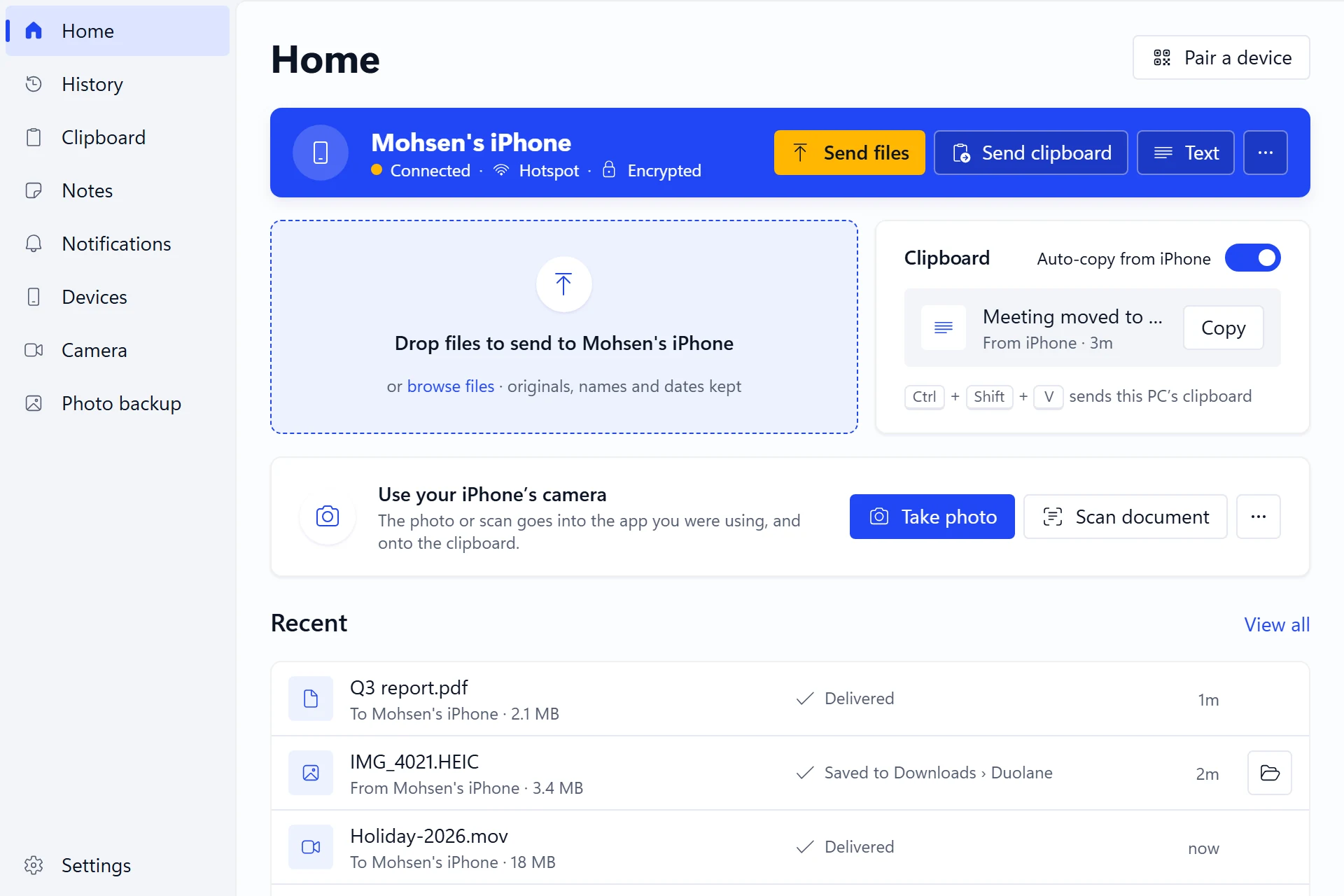
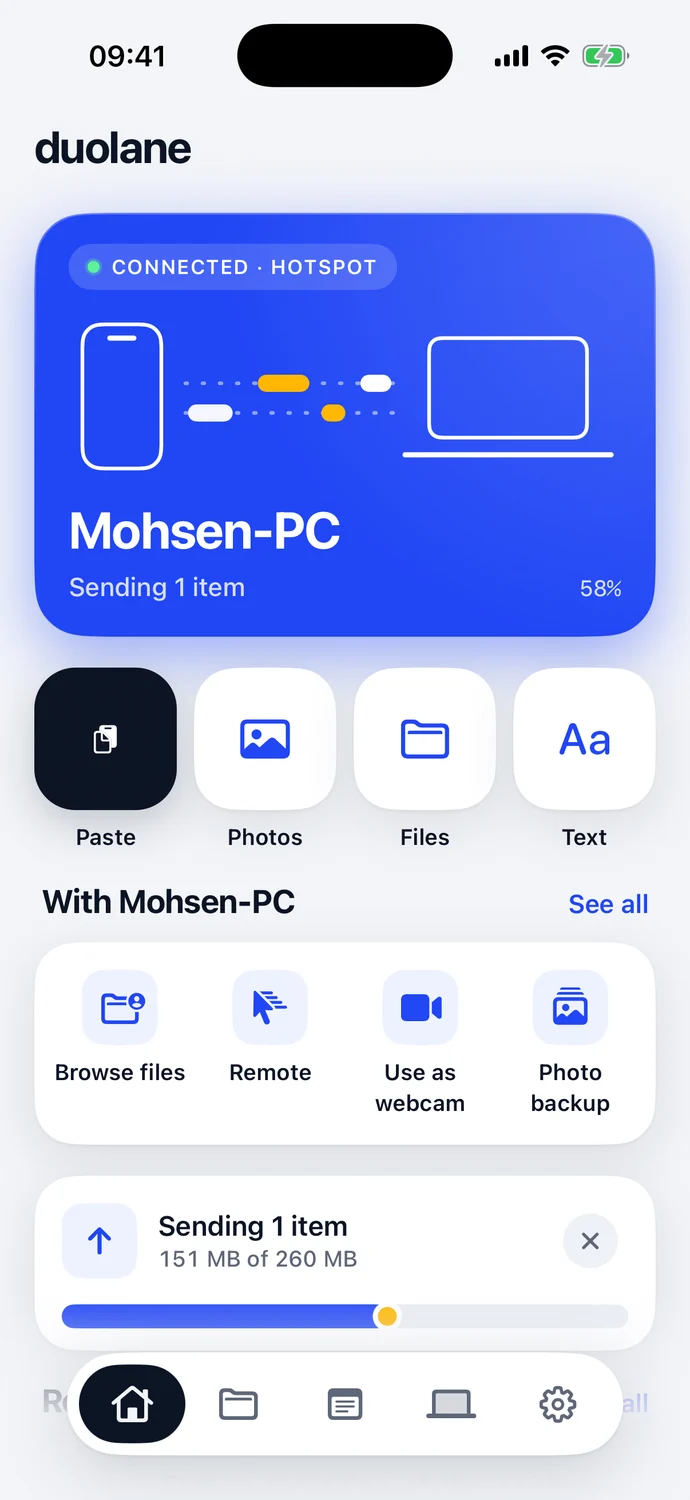
- 0accounts to create
- 0cloud servers
- 4security words when you pair
- 31languages
Pair once
Scan, check four words,
done.
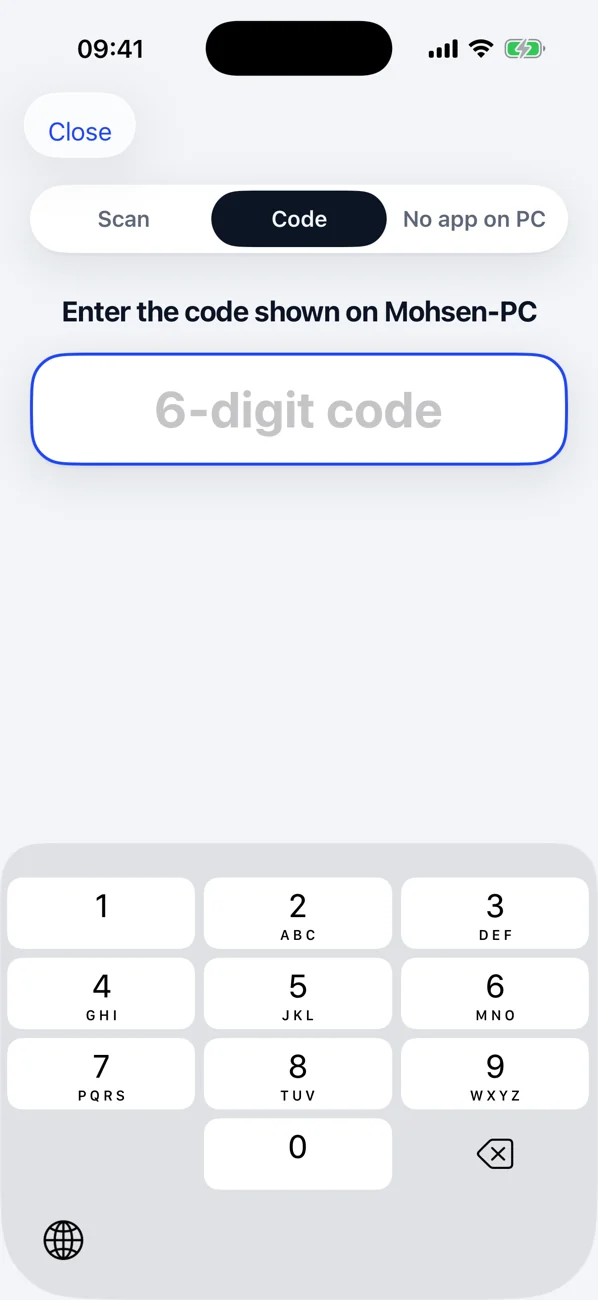
Scan the QR code on the PC, or type its 6-digit code. Both screens show the same four security words, so you know it's your own PC. After that, Duolane reconnects by itself whenever both are on the same network.
- Works over Wi-Fi, Personal Hotspot or a USB cable
- No PC app? Open the address Duolane shows in any browser
- Every connection encrypted
Files and photos
Both ways,
full quality.
Send photos, videos, files and whole folders from Duolane, the Share sheet or the Files app. Drop files on Duolane on the PC and they land on your iPhone.
- Photos converted to JPEG and videos to MP4 so Windows opens them, or keep the originals
- Interrupted transfers carry on where they stopped
- Photo backup copies your library to a folder on the PC
One clipboard
Copy here.
Paste there.
Copy on the iPhone and paste on the PC, and back again. Formatted text keeps its formatting, and your clipboard history and Duolane Notes stay in sync with the PC.
- Ctrl + Shift + V sends the PC's clipboard to your iPhone
- Leaves out passwords from password managers
- Notes you write on either side, on both
A library that understands files
Open it, mark it up,
send it back.
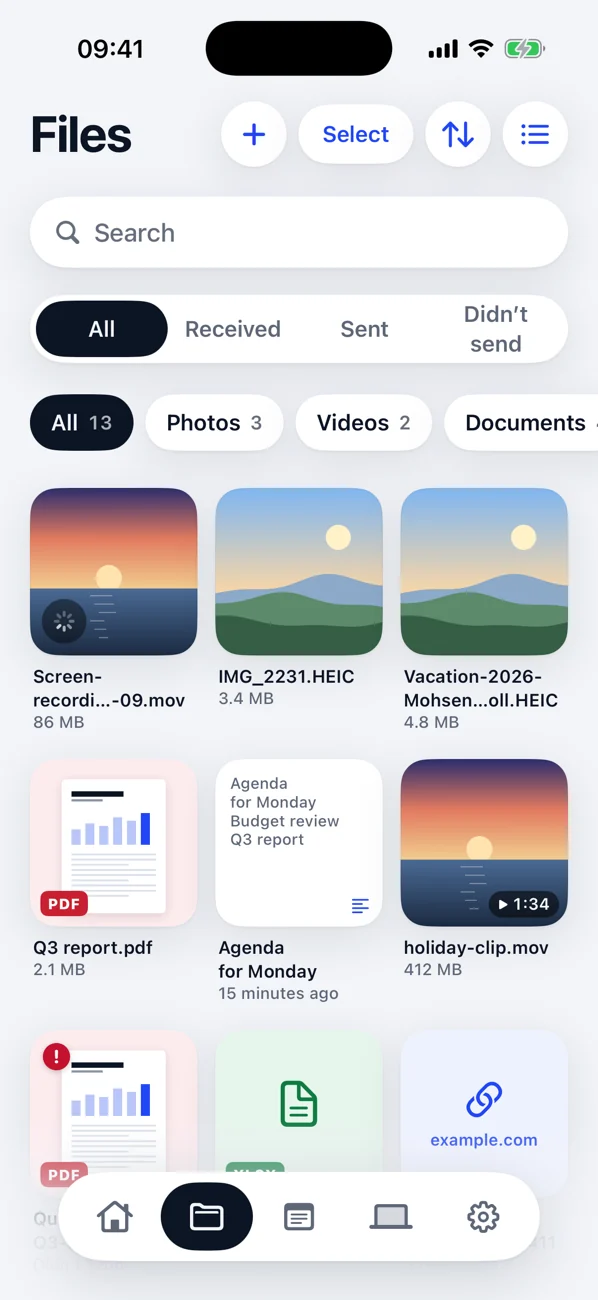
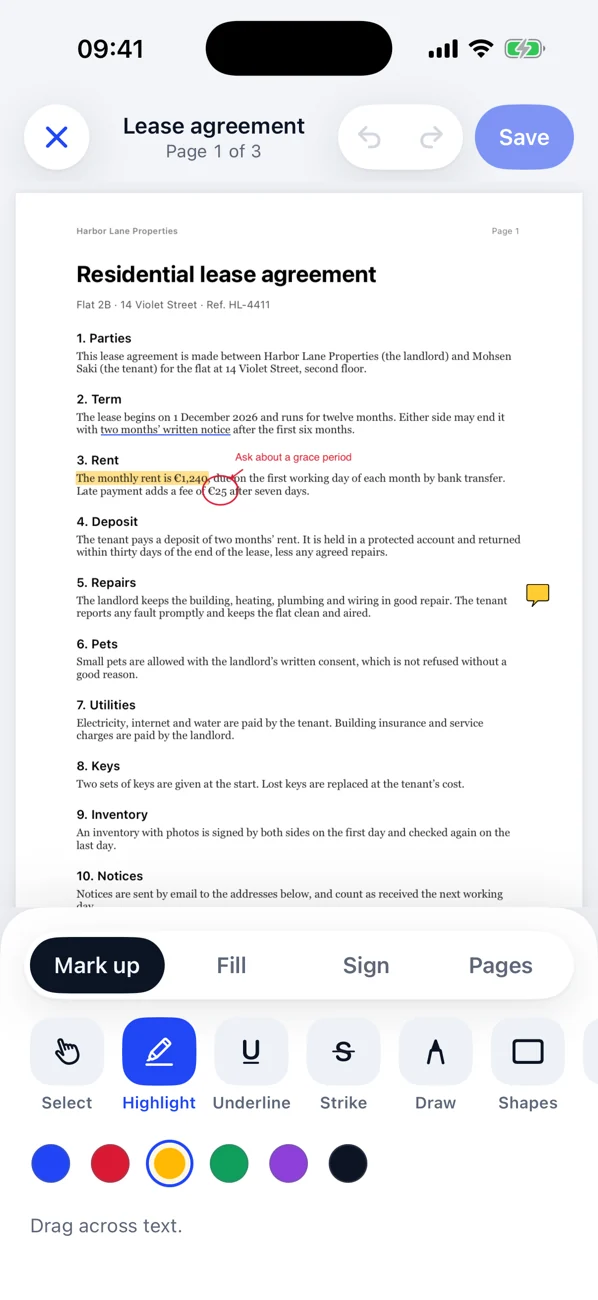
Everything you send and receive is kept in Files, sorted by type, with search and filters. View PDFs, images, video, code, Markdown, CSV, JSON and zip files.
- Mark up, sign and reorder PDF pages, or scan paper to PDF
- A real code editor with syntax colouring
- Edit on PC: open a file in a PC app and your saved changes come back
More with the Windows app
Your iPhone,
at the PC's service.
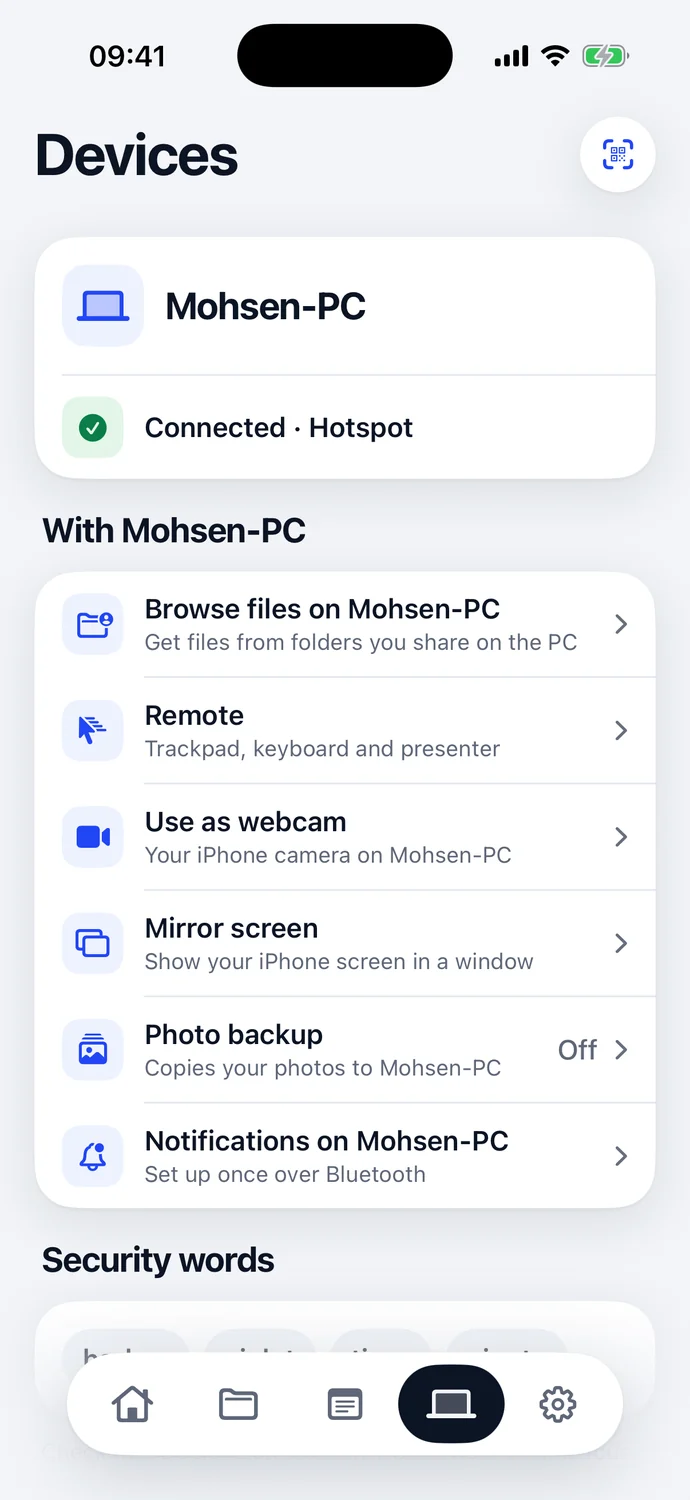
Use your iPhone as the PC's webcam and microphone, show your iPhone screen on the PC, or use it as a trackpad, keyboard or presentation remote.
- Print on PC and open links on PC
- Take a photo or scan a document when the PC asks for one
- Browse the PC's shared folders from your iPhone
Private by design
Your files never
leave home.
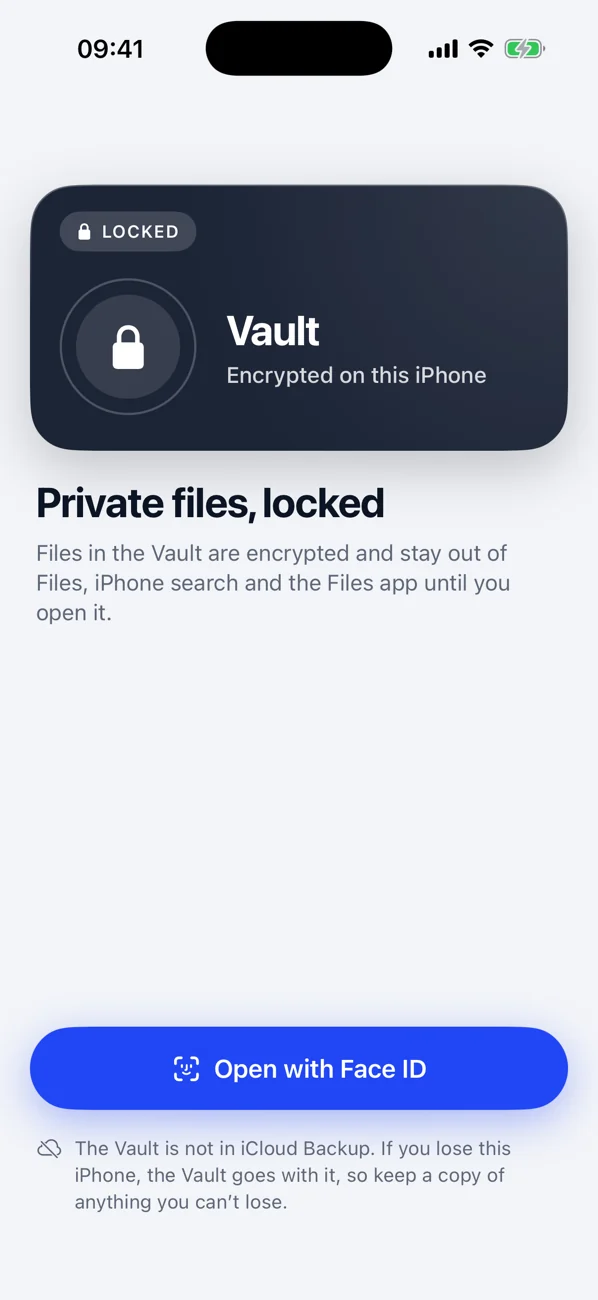
Files go only between your own devices on your own network. We run no servers and never see your data. The Vault keeps chosen files encrypted on your iPhone behind Face ID.
- No account, no ads, no tracking
- Your PC verified when you pair
- Summaries and smart names use Apple Intelligence, on the device
Duolane for Windows
Free for your PC.
Ready in a minute.
The Windows app turns on everything: drag and drop, the shared clipboard, notifications, webcam, screen and remote. Download it here on your PC.
One price
Free for a week.
Then buy it once.
Try everything in Duolane free for 7 days. Then unlock it with one purchase (US$9.99, £9.99 or €9.99) and keep it, on iPhone and iPad. The Windows app is free. No subscription, no ads, nothing charged automatically.
Coming soon to theApp StoreQuestions
Do I need internet?
No. Duolane works over your own Wi-Fi, or with the PC joined to your iPhone's Personal Hotspot, even with mobile data off. Nothing goes through the internet or through our servers. We don't have any.
Do I need to install anything on the PC?
For the full experience, yes: the free Duolane app for Windows. Your iPhone can install it straight onto the PC. Without it, Browser mode works in any web browser on the PC for sending files, photos and text both ways.
Which PCs work?
Windows 10 (version 22H2) or Windows 11, on Intel, AMD or Arm processors. Using the iPhone camera in other PC apps needs Windows 11.
Is it secure?
Every connection is encrypted. When you pair, both screens show the same four security words, so you know you're connected to your own PC and not someone else's. Files never leave your devices and your local network.
Is there a subscription?
No. Duolane is free to download and everything in it is free for 7 days. After that, you unlock it with one in-app purchase (US$9.99 in the US, £9.99 in the UK, or the same price tier in your country's currency), and it's yours for good. Nothing is charged automatically, there are no ads, and the Windows app is free.
What happens after the free week?
Duolane locks until you unlock it: it stops connecting to your PC and its screens stay behind the unlock page. Nothing is deleted, so after you unlock it everything is where you left it. The week starts when you tap Start free week and is tied to your Apple Account, so reinstalling the app doesn't start a new one.
What about Mac?
Duolane is made for iPhone with Windows PCs. Macs already have AirDrop and Universal Clipboard.
More answers on the support page.